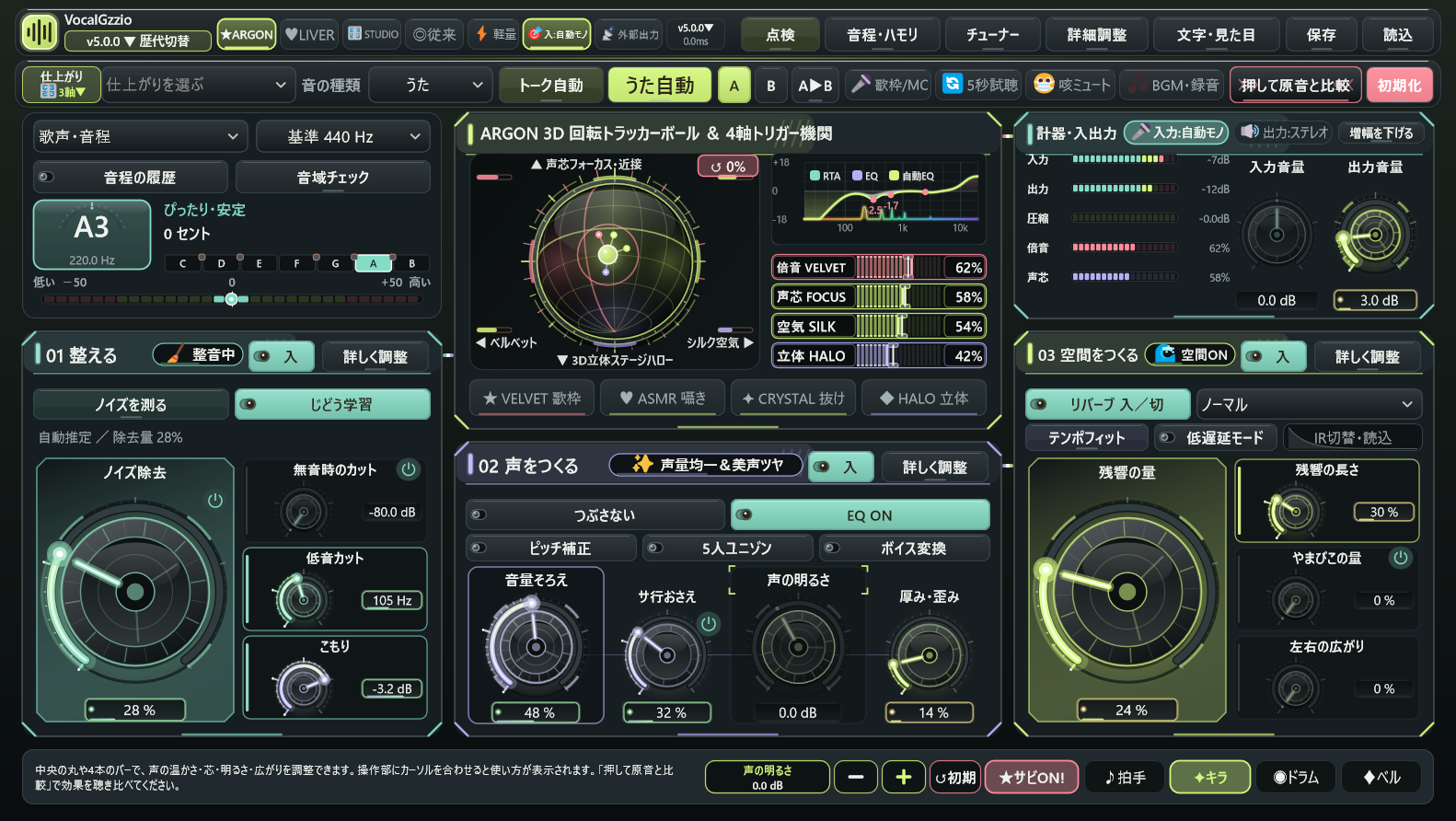
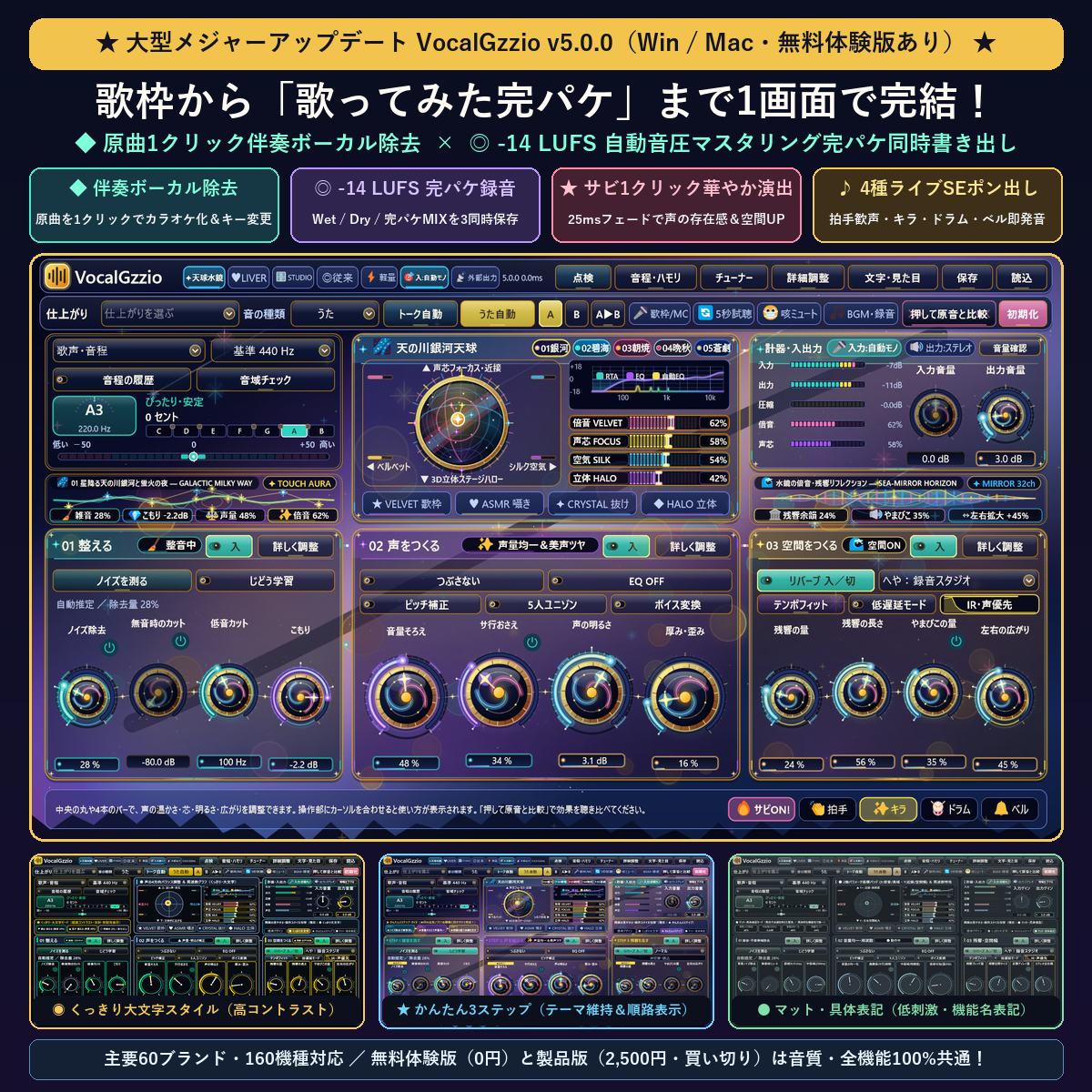
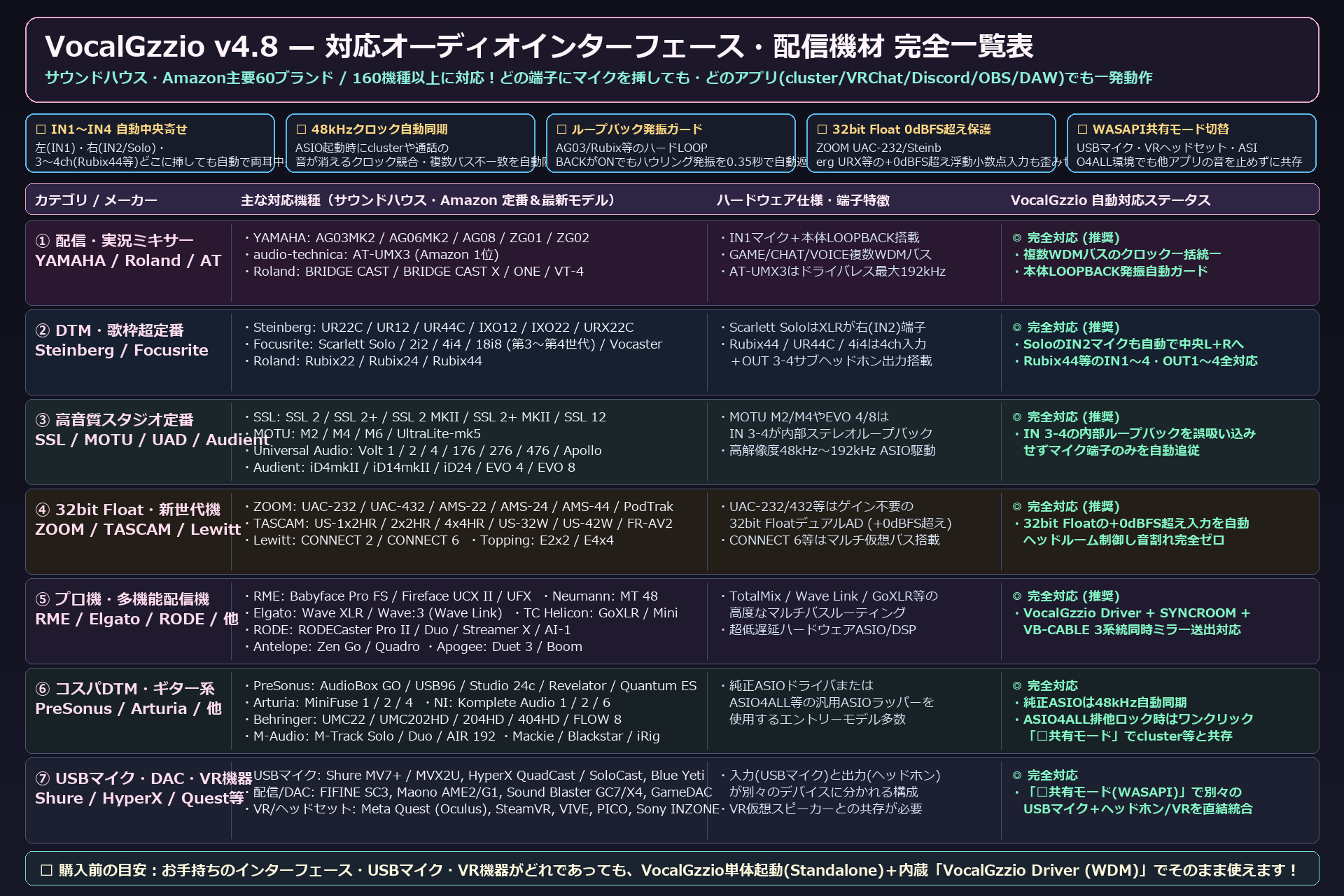
発売中OUT NOW
v4.0.0 を BOOTH で販売しています。2,500円(買い切り・税込)。
無料の体験版も同じ店に並べてあります。まず体験版で音を確かめてから決めてください。
GitHub での無償配布は 8月31日で終了しました。それまでに受け取った方は、そのままずっとお使いいただけます。
v4.0.0 is on sale on BOOTH: 2,500 yen, one-time.
A free trial sits in the same shop - try the sound first, then decide.
Free distribution on GitHub ended on 31 August; if you got it by then, it stays yours.
更新履歴Changelog
どこがどう変わってきたかWhat changed, and when
新しい順。バージョンごとに、何がどう変わったかをまとめています。
Newest first, with what actually changed in each release.
-
v4.0.0
へや ── 本物の部屋で歌うRooms - sing in a real space
- 「ひびきの種類」に6つ増えました。おふろ(2.1×1.7×2.3m・残響1.29秒)/カラオケ箱(3.4×2.6×2.4m・0.45秒)/録音スタジオ(2.0×1.6×2.2m・0.24秒)/ライブハウス(13×9×4.2m・0.95秒)/コンサートホール(30×21×13m・2.07秒)/プレート(鉄板・1.87秒)。従来の7種類は番号ごとそのまま残してあるので、これまでのプロジェクトの音は変わりません。
Six new entries in the reverb selector. Bath (2.1x1.7x2.3 m, RT60 1.29 s), karaoke box (3.4x2.6x2.4 m, 0.45 s), studio booth (2.0x1.6x2.2 m, 0.24 s), live house (13x9x4.2 m, 0.95 s), concert hall (30x21x13 m, 2.07 s) and plate (1.87 s). The original seven keep their index numbers, so existing projects sound exactly as before.
- インパルス応答を買っていません。録ってもいません。部屋の縦横高さと壁の吸音率から、反射が何ミリ秒後にどの強さで届くかを鏡像法で計算し、その場で作っています。第三者の録音物を含まないので権利の心配がなく、どのパソコンでも1ビット違わず同じ響きが出ます。
No impulse responses were bought, and none were recorded. The reflections are computed from each room's dimensions and wall absorption using the image-source method, generated on the spot. Nothing third-party is embedded, so there is no licensing question, and every machine produces bit-identical output.
- 畳み込みなのに追加遅延0サンプル。応答の先頭256サンプルだけを素直に足し算して1サンプル目をその場で作り、長い尾は1ホップ先回りして用意します。ホストのブロック長が32でも1024でも、直接畳み込みとの差は3.28e-07(32bit浮動小数の丸め誤差)でした。
Convolution with zero added latency. The first 256 samples of the response are summed directly so sample 0 exists immediately; the long tail is computed one hop ahead. At host block sizes from 32 to 1024 the difference from direct convolution is 3.28e-07 - float rounding.
- 直した不具合: 部屋の入れ替え途中に内部初期化が走ると入れ替えが取り消されて固まり、以後その部屋に二度と切り替わらない状態になっていました。DAWの再生開始やサンプリング周波数の変更で起きます。検査で「録音スタジオとコンサートホールの尾が同じ長さ」になって見つかりました。
Fixed: if the convolver was reset mid-crossfade, the pending room change was cancelled and left stuck, so that room could never be selected again. It happened on transport start and sample-rate changes. Found when a test showed the studio booth and the concert hall decaying identically.
-
v3.1.0
使いかたが4つになりましたFour ways to use it
- 「声とギター」を足しました。1本のマイクに声とギターが同時に入る録りかた用です。どちらか片方に合わせると、もう片方が確実に外れるので2点がけにしました。こもりは声の300Hzと胴鳴りの220Hzの2点、サ行は声の5.2kとフレットの3kの2点。ぬけは声4.2kと弦3.5kの間の3.8kHzに置き、Qを0.7に広げて両方へ届かせています。
A fourth mode: Voice+Guitar. For one mic catching both at once. Optimise for one and you miss the other, so it works at two points: mud at 300 Hz (voice) and 220 Hz (guitar body); de-ess at 5.2 kHz (sibilance) and 3 kHz (fret noise); presence placed at 3.8 kHz between the two, widened to Q 0.7 so one knob reaches both.
- 使いかたで、ツマミ自体が出入りします。その使いかたで音が通っていないツマミは画面に出しません。押せるのに効かない物を置かないためです。全部見たいときは「文字・見た目」の「ぜんぶ表示」で出せます(音は変わりません)。
Controls appear and disappear with the mode. If a knob is not in the signal path for that mode, it is not shown — a control you can reach but that does nothing is the worst kind. Turn on Show everything in Text and looks to see them all; the sound does not change.
- 「しゃべり」はピッチ系を音の側で止めます。しゃべりに音程を当てにいくと、語尾や抑揚が階段状になって、かえって聞き取りにくくなるためです。ことばと艶は残します。おかげで申告する遅延が768サンプル→0になりました(48kHzで16ms)。配信の口パクずれが、そのぶん減ります。
Speech mode bypasses the whole pitch chain. Chasing pitch on speech turns sentence endings into semitone steps, which is backwards in the one mode where being understood is the point. Consonant and ring stay. As a result the reported latency drops from 768 samples to 0 — 16 ms at 48 kHz — so lip sync on a stream improves by that much.
- ピックおさえ(アコギだけ)。ピックが弦に当たる「カッ」という頭だけを、ふつうより飛び出したときに軽く下げます。強く弾いた所と軽く弾いた所で頭がそろうので、あとの圧縮が暴れません。実測で強弱の差 12.10dB→8.05dB、胴の鳴りの変化は −0.28dB。頭だけ下げて、音そのものは痩せていません。
Pick tamer, for guitar-only mode. It lowers just the attack of the pick hitting the string, and only when that attack sticks out more than usual. Hard and soft strokes then start from the same place, so the compressor after it stops lurching. Measured: the spread between hard and soft goes 12.10 dB to 8.05 dB, while the body of the note moves by 0.28 dB.
- 使いかたごとに、値を別に覚えます。うたで作った音は、しゃべりを見に行って戻ってきてもそのままです。ただしテンポ・基準ピッチ・古い曲の互換スイッチは覚えません。これらは「曲そのものの設定」なので、使いかたを変えても動かないほうが安全だからです。
Each mode remembers its own settings. Go and look at speech mode, come back, and your vocal sound is exactly as you left it. Tempo, reference pitch and the legacy-compatibility switch are deliberately not per-mode — those belong to the song, so they should not move when you change how you are recording.
- 画面の作り直し(1段目)。左の列に「入 マイクから」「出 しあげ」の2枚を足しました。ジー音・マイク音量・きょりは、おそうじの箱に入る前に終わっているので、止められない物を止められる箱の中に見せるのをやめたのです。この2枚にはスイッチも並べ替えの矢印もありません(作れば押せてしまうので)。列の「1つずつ」を押すと、選んだ箱の中身だけを大きく出す画面になります。
Screen rebuild, part one. The signal-path column now begins with IN (from the mic) and ends with OUT (finish). Hum removal, mic volume and distance all finish before the first module is captured, so showing them inside a box you can switch off was simply untrue. Those two cards have no toggle and no reorder arrows — a control you can press but that does nothing is worse than no control. Press One at a time in the column to blow up a single box.
- 喋りはじめの「サフサフ」第2弾。v2.12.0 で直したつもりが残っていました。測ったら原因が違っていて、高域を下げる速さと戻す速さが同じ0.25秒だったため、220msの母音では6dBのうち58%しか届いていませんでした。下げるのは0.08秒・戻すのは0.25秒の非対称にして、6.55dB→4.46dB まで減りました。
The swishy onset, take two. I thought v2.12.0 had fixed it. Measuring showed a different cause: the high band ducked and recovered at the same 0.25 s, so a 220 ms vowel only ever reached 58 % of the 6 dB it needed. Making it asymmetric — 0.08 s down, 0.25 s back — took it from 6.55 dB to 4.46 dB.
- 体験版と、配布物をつくる手順。買う前に試せる体験版を用意しました(60秒ごとに約1秒、音がすっと下がります。保存は行いません)。作る側も、ダブルクリック1回で製品版と体験版の両方が出来るようにしました。
A trial build, and a one-click way to produce it. The trial dips the audio for about a second every minute and never saves state. On the development side, one double-click now builds both editions and both installers.
-
v3.0.0
効果の順番を、自分で決められますYou decide the order now
- 音のとおり道が見えるようになりました。左の列に、音が通る順番どおりに箱が並びます。おそうじ→へんしん→ととのえ→音量そろえ→サ行おさえ→音色づくり→キャラ声→ひろがり。1つずつ切れますし、矢印で順番も入れ替えられます。
The signal path is now visible. A column on the left lists the boxes in the order the sound actually goes through them — clean-up, voice change, tone shaping, levelling, de-essing, colour, character, space. Each one switches off on its own, and the arrows move them around.
- 「くらべる」。説明を読むより、耳で1回きくほうが早いので、押している間だけその箱を素通しにするボタンを付けました。
Compare. Reading about what a box does is slower than hearing it, so holding this button bypasses that one box for as long as you hold it.
- 「つぶさない」。圧縮のかけすぎを自動でゆるめます。何dBゆるめているかを数字で出します。賢いふりをするより、何をどう測ってそう決めたかを見せるほうが信用できると思っているからです。
Don't crush. It backs off over-compression automatically — and tells you how many dB it backed off. Showing the measurement beats claiming to be clever.
- 中身の作り直し。効果ごとにモジュールへ分け、順番を入れ替えても音声コールバックの中でメモリを確保しないまま保っています。追加遅延は0サンプルのままです。
Rebuilt inside. Each effect became a module, and reordering them still allocates nothing inside the audio callback. Added latency stays at zero samples.
-
v2.11.0
ゆるふわに、よるができましたYuru-Fuwa gets a night mode
- ゆるふわの「よる」。夜に録る人・配信する人には、あのクリーム地はまぶしいという話でした。かといって「ふつう」の暗い配色に逃げると、丸文字もジュースのツマミもぷにぐじくんも消えて別のプラグインになってしまう。なのでゆるふわのまま、明るさだけを落とした版を足しました。変わるのは配色と背景だけです。
A night version of Yuru-Fuwa. If you record or stream after dark, that cream background is simply too bright — but switching to the plain dark theme throws away the rounded font, the juice knobs and the mascot, and you end up in a different plugin. So this keeps Yuru-Fuwa and lowers only the brightness. Colours and backdrop change; nothing else does.
- 出しかたは、テーマの「ゆるふわ」をもう一度押すだけ。押すたびに ひる と よる が入れ替わります。いま出ている名前が今の状態で、チップの右端に太陽か三日月の印が出ます。ほかのテーマを見にいってから戻っても、前に選んでいたほうで戻ります。
Press the Yuru-Fuwa theme chip again. Each press flips day and night. The chip shows which one you are in, with a small sun or crescent moon on the right. Go look at another theme and come back — it returns to whichever you had.
- 暗くしただけではありません。差し色は昼よりわざと彩度を落としてあります(暗い下地では、同じ数値でも眩しく感じるため)。文字色と下地のコントラストは実測で全24組が 5.9:1 以上。WCAG AA が求める 4.5:1 を全部越えています。
Not just darker. The accents are deliberately less saturated than in the day theme, because on a dark background the same numbers read as glare. Every one of the 24 text-and-background pairs measures 5.9:1 or better — comfortably past the 4.5:1 that WCAG AA asks for.
- 星はまたたきません。夜空に星を置きましたが、動くものがあると目が休まらないので完全な静止画です。位置も固定の式で決めているので、毎回まったく同じ絵になります。夜のための画面で夜に疲れたら、意味がないので。
The stars do not twinkle. There are stars in the night sky, but anything that moves keeps your eyes working, so the whole backdrop is a still image. The positions come from a fixed formula, so it is the exact same picture every time. A screen made for night is pointless if it tires you out at night.
- 左上のアイコンを、どのテーマでもぷにぐじくんにそろえました。以前は「ゆるふわのときだけぷにぐじくん、それ以外は別の絵」で、アプリのアイコンもインストーラもこのページもぷにぐじくんなのに、テーマを変えた瞬間だけ看板の顔が変わっていました。この修正は v2.10.0 のインストーラには入っていません。
The icon in the top-left is now the mascot in every theme. It used to be the mascot only in Yuru-Fuwa and a different drawing everywhere else — even though the app icon, the installer and this page all use the mascot. This fix did not make it into the v2.10.0 installer; it arrives here.
- 音の処理は 1バイトも触っていません。v2.10.0 の音をそのまま使えます。検証は 154項目すべて PASS、遅延ベンチも全項目 PASS で、出荷状態は申告0/実測0/バッジ0 のままです。
Not a single byte of the audio path changed. The sound is exactly what v2.10.0 gave you. All 154 checks pass, the latency bench passes in full, and out of the box it is still reported 0, measured 0, badge 0.
-
v2.10.0
音源モードと、点検 — それと「痩せる・シャリつく」の原因Source modes, Checkup - and the cause of "thin and harsh"
- 「音が痩せる・シャリつく・小さい・上げると潰れる」の原因が分かりました。ノイズ床の学習(LEARN)が、声の入った状態のまま固まって保存されていたのが正体です。実測すると、歌いながら覚えさせた場合は音量−5.35dB/低域60-250Hz−4.75dB/中域−7.32dB/山と谷の差+3.50dB。下が落ちて上だけ残るので「痩せる・シャリつく」、全体が下がるので「小さい」、山と谷が開くので「上げると潰れる」。本当に静かなときに覚えさせた場合は0.00dB=機能そのものは正しく、汚れた学習が固定されていただけでした。しかも引き金はLEARNボタンではなく「10秒おまかせ」で、押してから0.5〜2.0秒のあいだに自動で学習しています。覚えた床は保存され、元に戻すコードがどこにも存在しなかったため、再起動しても版を上げても直りませんでした。
We found what makes the sound go thin, harsh, quiet, and crushed when you push it. The noise-floor LEARN was capturing while the voice was still there, then freezing and saving that forever. Measured against not learning at all: level −5.35 dB, low end (60-250 Hz) −4.75 dB, mids −7.32 dB, crest +3.50 dB. The bottom drops and the top stays, so it sounds thin and harsh; everything drops, so it sounds quiet; the crest opens up, so pushing the mic makes it crush. Learned in true silence the difference is 0.00 dB - the feature was fine; a dirty capture had been frozen in place. The trigger was not the LEARN button but the 10-second Auto Setup, which learns automatically 0.5 to 2.0 s after you press it. The result was saved, and no code anywhere set it back, so it survived restarts and updates.
- 4つ直しました。①1.5秒の最大値ではなく中央値を床にする(一瞬の物音で決まらない)②中央値が−45dBFSを超える、または95%点との開きが12dBを超えるなら採用せず、理由と実測値を画面に出す ③覚えている間だけ「学習ずみ」ボタンが出て、押すと自動追従に戻る ④すでに汚れた床が保存されている設定は、読んだ時点で捨てる。④のおかげで、いま症状が出ている方は更新するだけで直ります。採用しなかったときは音が1ビットも変わりません(実測 最大差 0.000e+00)。
Four fixes. (1) The floor is now the median of the 1.5 s capture, not the maximum, so a single noise cannot set it. (2) If the median is above −45 dBFS, or the spread to the 95th percentile exceeds 12 dB, the capture is rejected and the screen says why, with the measured level. (3) While a profile is stored a "Learned" button appears; press it to go back to automatic tracking. (4) A stored floor that could not possibly be room noise is discarded on load - so if you have the symptom today, updating fixes it. A rejected capture changes the audio by exactly nothing (measured max difference 0.000e+00).
- 音源モードを付けました(うた/アコギ/しゃべり)。プリセットではありません。ツマミの位置はそのままで、狙う場所だけが変わります。こもりは、うた300Hz/アコギ220Hz(胴鳴り)/しゃべり350Hz。かたさは、うた3.2kHz/アコギ2.5kHz(ピックのカリつき)。ぬけは、うた4.2kHz/アコギ3.5kHz(弦の輪郭)/しゃべり2.8kHz(明瞭度)。ディエッサーは、うたはサ行(5.2k→6.5k)、アコギはフレットとピックの音(3k→4k)を探します。なめらかの見張る範囲も、うた900Hz〜9kHzに対しアコギは250Hz〜6kHz。アコギではピッチ補正・ハモリ・ボイス変換を通しません(和音の鳴る楽器に声用のピッチ検出を掛けると別の弦へ飛び移って音程がふらつくため。切ってあるので遅延も0のまま)。しゃべりではひびき・やまびこを切ります。「うた」はv2.9.0と1ビットも同じです(7シナリオでmd5一致を確認)。
New source modes: Vocal, Acoustic Guitar, Talk. Not presets. The knobs stay where they are; only what they aim at changes. Mud: 300 Hz for voice, 220 Hz for a guitar body, 350 Hz for speech. Harsh: 3.2 kHz for voice, 2.5 kHz for pick attack. Presence: 4.2 kHz for voice, 3.5 kHz for string definition, 2.8 kHz for speech intelligibility. The de-esser hunts sibilance (5.2k, ducking 6.5k) for voice but fret and pick noise (3k, ducking 4k) for guitar. The resonance tamer watches 900 Hz-9 kHz for voice and 250 Hz-6 kHz for guitar. Guitar mode does not run pitch correction, harmony or voice change - feeding a chordal instrument into a vocal pitch detector makes it jump between strings and wobble - so latency stays at zero. Talk mode drops reverb and echo. Vocal mode is bit-identical to v2.9.0 (md5 match across seven scenarios).
- 「点検」ボタンにまとめた4つ。ゼロ遅延の自己証明=「測る」を押すと約1秒だけ出力を黙らせ、その間にインパルスを流して申告値・実測値・その差を出します。差が0なら「この環境で実測0サンプル」と言い切れます。報告セットの書き出し=版・サンプリング周波数・ブロック・申告遅延・いまの設定ぜんぶをテキストに。使われ方=どの機能を何秒使ったかを手元のファイルに貯めます(送信は一切しません。あなたが報告セットを送ってくれたときだけ届きます)。名前ごとの設定=ホストのトラック名、無ければ自分で打った名前をキーに設定を覚えます。
Four things under the new Checkup button. Prove it yourself: press Measure and the output mutes for about a second while an impulse runs through the chain, reporting declared latency, measured latency and the gap. A gap of zero means zero samples measured on your machine. Report export: version, sample rate, block size, declared latency and every current setting as plain text. Usage log: seconds spent in each feature, kept in a local file - nothing is ever transmitted; it only reaches us if you send the report yourself. Per-name settings: keyed on the host track name, or a name you type when there is none.
- 距離ならし(近接効果の自動補正)。マイクに近づくと低音が増え、離れると痩せます。40秒かけて「いつもの量」を覚え、そこからのズレだけを220Hzの棚と音量で戻します。覚えた量に寄せるだけなので声質は変えません。0%(既定)は完全な素通し(実測 差0)で、追加の遅延もありません。
Distance Evener. Lean into the mic and the low end swells; back away and it thins. This learns your usual balance over 40 seconds and corrects only the drift, using a 220 Hz shelf plus a little gain. It moves you back to your own sound rather than imposing one. At 0% (the default) it is a true bypass - measured difference zero - and adds no latency.
- もう1件、検証中に見つけた不具合。おまかせの「こもり取り」「かたさ取り」が一度も効いていませんでした。ツマミの範囲は−12〜0dB(マイナスが削る)なのに、おまかせは0〜8のプラスを書き込んでいて、範囲に丸められて必ず0になっていました。「おまかせを掛けてもシャリつきが取れない」の一因です。符号を直しました。
And one more bug, found while testing the source modes. Auto Setup's mud dip and harsh cut had never done anything. Those knobs run from −12 to 0 dB, where negative means cut - but Auto Setup was writing positive values from 0 to 8, which clamped to zero every time. That is part of why Auto Setup never took the edge off. The sign is fixed.
-
v2.9.0
セッションモード — 追加遅延を0サンプルに固定Session mode - added latency pinned at 0 samples
- 「低遅延」ボタンを廃止しました。あれはピッチ系の遅延を768→384サンプル(17.4→8.7ms)に半分にするものでしたが、オンラインセッションで快適とされる往復30msはネットとパソコンを通した合計の実測値です。オーディオインターフェースのAD/DAとバッファだけで7〜8ms使うので、プラグインに許される追加遅延は実質ゼロ。つまり8.7msは「半分になった」のではなくまだ足りないのに、低い声のざらつきという代償だけが残っていました。
The Low Latency button is gone. It halved the pitch-tool delay from 768 to 384 samples (17.4 to 8.7 ms), but the 30 ms round trip that feels comfortable in an online jam is measured across the network and the computer. Your interface alone eats 7-8 ms, so the budget left for a plug-in is effectively zero. 8.7 ms was not "half the problem" - it was still too much, and you paid for it with grainier low notes.
- かわりに「セッション」スイッチを付けました。ONの間は、遅延をふやす3つ(ピッチ補正・ボイス変換・ハモリ/5人ユニゾン)を素通しにして、追加遅延を0サンプルに固定します。スイッチの値そのものは変えないので、セッションを抜ければ元どおり鳴ります。止めている間はその3つのツマミが灰色になるので、「見えているのに効いていない」になりません。
In its place there is a Session switch. While it is on, the three tools that add delay - pitch correction, voice change and harmony/unison - are bypassed and added latency is pinned at 0 samples. The switch does not touch their values, so leaving session mode brings everything back. Those controls grey out while suspended, so nothing looks active while being silent.
- 「追加遅延 +0.0 ms」を画面に常時表示します。ゼロ遅延は宣伝文句ではなく測った数字なので、隠さず出すことにしました。0なら緑、足していれば黄色。再生中にピッチ補正をONにすればその場で+17.4msに変わります(申告値ではなく、いま実際に遅れている値です)。
An "added latency" badge is now always on screen. Zero latency is a measured number here, not a slogan, so the number is shown: green at zero, amber when something is adding delay. Switch on pitch correction mid-playback and it jumps to +17.4 ms straight away - it reports what you are actually hearing, not what was declared at load time.
- バグを1件直しました:ハモリだけONにすると歌だけ17.4ms走っていました。ハモリ(5人ユニゾン)だけをONにすると、プラグインはホストへ「768サンプル遅れます」と申告するのに、実測すると主メロのピークは0サンプル=まったく遅れていませんでした。ハモリは主メロの横に声を足す並列処理なので、主メロは遅れません。申告だけが嘘をついていたため、DAWがトラックを17.4ms前へ引っ張って歌だけ走り、さらにMixの原音そろえも同じ値を見ていたのでハモリのときだけコムフィルタ(スカスカ)が再発していました。
One bug fixed: harmony alone made the lead vocal run 17.4 ms early. With only harmony/unison enabled, the plug-in told the host it had 768 samples of latency - but the measured peak of the lead vocal was at 0 samples. Harmony adds voices beside the lead; it never delays the lead itself. The host believed the false report and pulled the track 17.4 ms early, and because the dry-mix alignment read the same value, the comb filter fixed in v2.8.0 came back whenever harmony was used.
-
v2.8.1
長時間の「ジー」への対策 — 調査と保険Countermeasures for the long-session buzz - investigation and insurance
- 「長い時間使うとジーが走る」というご報告を受けた回です。最有力の原因は、v2.8.0で直した「音声処理の中の毎回のメモリ確保」でした。締め切り2.8ms(124サンプル)の処理に数十回のmalloc/freeが走っており、確保がたまに遅れるとブロックが落ち、連続するとブロック周期(約355Hz)の「ジー」に聞こえます。ヒープはセッションが長いほど荒れるため「長時間で出る」とも合います。
This release follows up a report of a buzz creeping in after hours of use. The prime suspect is the per-block heap allocation fixed in v2.8.0: dozens of malloc/free calls inside a 2.8 ms deadline. A slow allocation drops a block, and repeated drops at the ~355 Hz block rate sound exactly like a buzz - worse as the session heap ages.
- 長時間シミュレーションを新設しました。ハム除去に歌+本物のハムを20分(息継ぎの残りカスは序盤-63.4dB→終盤-66.1dBで悪化なし)、ボイス変換に8分、内部発振器に6時間ぶん(振幅ずれ3.6e-7)。音の処理そのものは長時間でも劣化しないことを数値で確認しています。
A new long-run simulation feeds the hum remover 20 minutes of singing plus real hum (gap residue -63.4 dB early vs -66.1 dB late - no build-up), the voice changer 8 minutes, and the internal oscillators 6 hours' worth (amplitude drift 3.6e-7). The DSP itself does not degrade over time.
- 保険をふたつ。ジー音の内部状態が万一壊れたら0.1秒で自動的に作り直す自己回復を追加。インストーラも、上書き時に古いVST3バンドルを消してから入れるようにしました(「新しい版を入れたのに画面の版表示が古いまま」の一因を断つため)。
Two pieces of insurance. The hum remover now self-heals within 0.1 s if its state is ever corrupted, and the installer wipes the old VST3 bundle before copying the new one - closing one path to "I installed the update but the version label is still old".
-
v2.8.0
つかいやすさと安定性 — ひと回り点検して18個直しましたUsability and stability - one full pass, 18 fixes
- マイク音量が、本当にいちばん手前で効くようになりました。説明文には「ぜんぶの処理のいちばん手前で掛ける」と書いてあったのに、実際はゲート・ノイズ除去・ボイス変換のあと、しかもINメーターを取ったあとに掛けていました。そのため「マイク音量を上げてもINメーターが動かない」「ゲートのしきい値が入力に追いつかない」という状態でした。
Mic Volume now really is the first thing in the chain. The manual said it was applied at the very start, but it actually ran after the gate, the de-noiser and the voice changer - and after the IN meter was read. So raising it moved nothing on the meter, and the gate threshold never followed your input level.
- かんたんモードの「見えないのに効いている」を無くしました。ボイス変換やロボ声のツマミはこだわりモードにしかないので、かんたんモードへ切り替えると欄が消えるだけで音には効いたままでした。つまり「声が変なままなのに直す場所が画面のどこにも無い」状態です。効いているときだけ帯を出して、ひと押しで素の声に戻せるようにしました(何も効いていないときは出ません)。
Easy mode no longer hides effects that are still processing. Voice FX and robot live only in the full mode, so switching to easy mode removed the controls but left the sound - leaving no way at all to undo a pitched voice. Now a banner appears only while something is active, with one button that turns it all off.
- 音声コールバックの中でメモリを確保しなくなりました。フィルタ係数を作る関数は毎回ヒープを触る作りで、1ブロックに11回+32サンプルごとにも呼んでいたので、64サンプルのバッファでは1.3msごとに数十回のmalloc/freeが起きていました。「配信中つけっぱなし」の製品としてはここが一番まずいところで、プツッと切れる原因になります。実測で1000回→0回。係数の中身は1ビットも変わらないので音は同じです。
No more heap allocation inside the audio callback. JUCE's filter-coefficient helpers allocate every call, and they were being called 11 times per block plus once every 32 samples - dozens of malloc/free per 1.3 ms on a 64-sample buffer. For a plugin meant to be left on while you stream, that is the worst place to allocate. Measured: 1000 allocations became 0, with bit-identical coefficients, so the sound is unchanged.
- ほかに直したもの。ボイス変換ONでMixを中間にするとコムフィルタでスカスカになる/ゲートONだとノイズ除去が効かない/ハモリの基準ピッチが440Hz固定/ひろがり・かさねを上げるとステレオが潰れる/A/Bの片方が保存されない/「テンポフィット」がプルダウンの下敷きで押せなかった/文字サイズの数値が「1…」に切れて読めない/英語UIのディレイ音符名がずれている/ツマミのダブルクリックで初期値に戻る(+矢印キー対応)。設定を変えていなければ音は変わりません。
Also fixed: a 16 ms comb filter when Voice FX was on and Mix sat in the middle; de-noise doing nothing while the gate was on; harmony locked to 440 Hz instead of the reference pitch; Width and Doubler collapsing upstream stereo to mono; the B slot of A/B never being saved; Tempo Fit buried under a combo box and impossible to click; the text-size read-out truncated to "1..."; English delay-sync labels off by one; and double-click-to-reset plus arrow-key control on every knob. If you have not changed a setting, nothing sounds different.
-
v2.7.0
こぶし — 日本語の歌い回しを、ピッチ補正から守るOrnament guard - keeping Japanese phrasing through pitch correction
- 新スライダー「こぶし」。海外製のピッチ補正は「まっすぐ伸ばす歌」を前提に作られているので、J-POPのしゃくり上げ、演歌のこぶし、語尾を落とす表現を「音が外れている」と見なして平らに潰してしまいます。日本の歌い手が補正を強めにかけられない最大の理由がこれです。「オートチューン」欄の「補正」「速さ」の下にあります。
New slider: ORN (ornament guard). Pitch correction is built around a straight Western line, so it treats J-pop scoops, enka kobushi and falling line ends as bad pitch and flattens them. That is the main reason Japanese singers cannot push correction hard. You will find it under AMOUNT and SPEED in the auto-tune panel.
- 音ではなく「音程の動き方」だけを見ています。1秒あたり何半音動いたかと、折り返しの回数。しゃくりは出だし0.22秒以内の速い動き、音の渡りは一方向の速い動き、こぶしは振幅0.7半音以上で0.28秒以内に折り返す動き ── として見分け、その最中だけ補正をそっと引っ込め、着地したら戻します。音そのものには触らないので遅延はゼロのままです。
It watches only how the pitch moves - semitones per second, and how often the direction turns. A scoop is fast movement within 0.22 s of the note starting; a glide is fast movement in one direction; kobushi is a turn of 0.7 semitones or more inside 0.28 s. While one is happening the correction eases out, and it returns once the note lands. The audio itself is never touched, so latency stays at zero.
- ビブラートとはちゃんと区別します。ビブラートも上下動なので素朴に作ると区別できません。違いは規則正しく続くかどうかで、一定間隔の折り返しが3回続いたらビブラートと判定して保護しません。逆に折り返しが0.3秒途絶えたらその記憶を捨てるので、ビブラートのあとに来たこぶしもちゃんと守れます。実測で、±0.9半音の深いビブラートでも誤認しません。
Vibrato is told apart properly. Vibrato is also an up-and-down motion, so a naive version cannot separate them; the difference is that vibrato repeats regularly. Three evenly spaced turns in a row mark it as vibrato and the guard stays out. If the turns stop for 0.3 s that memory is dropped, so a kobushi right after a vibrato is still protected. Measured: even a deep ±0.9 semitone vibrato is not mistaken for an ornament.
- 効いている瞬間が目で見えます。スライダーの右に「しゃくり」「こぶし」と出ます。初期値は0%なので、アップデートしても今までのプロジェクトの音は1サンプルも変わりません。ピッチ補正を強めにかけたいときに60〜80%が目安です(ケロケロ狙いのときは0%のほうが狙いどおりになります)。
You can see it working - "scoop" or "kobushi" appears next to the slider while the guard is engaged. It defaults to 0%, so updating never changes an existing project. Try 60-80% when you want to push the correction; leave it at 0% when you are after the hard robotic sound.
-
v2.6.1
ジー音を自動で消す・ことばを届ける(+ボイス変換まわりの重要な修正)Automatic hum removal, a consonant enhancer, and important voice-changer fixes
- 【重要】Cubase が終了できなくなる不具合を修正しました。ボイス変換をONにすると遅延が増えるので、それを DAW へ伝えていました。Cubase はこの通知を受けるとその場でチャンネルの遅延補正を組み直します。組み直しは「今なにをしていても」始まるため、再生中に来れば音が止まり、終了処理中に来ればチャンネルの解放と取り合いになって固まります(「MixConsole をアンロード中」で停止)。実行中はこの通知を一切出さないようにして、根から断ちました。遅延ゼロの設計は変わりません。ボイス変換をONにしたままミックスするときだけ、そのトラックが約17ms後ろへずれます(トラックディレイか「低遅延」ボタンで調整できます)。
Important fix: Cubase could hang on shutdown. Turning the voice changer on adds latency, and the plugin used to tell the host about it. Cubase responds by rebuilding that channel's delay compensation on the spot - whatever it happens to be doing. Arriving mid-playback it stopped the sound; arriving mid-teardown it deadlocked against the channel being released. The plugin no longer sends that notification at run time at all. Zero-latency design is unchanged; only a mix with the voice changer left on sits about 17 ms late, which a track delay (or the Low Latency button) resolves.
- 【重要】ボイス変換で「最初しか音が出ない」不具合を修正しました。壊れた値が1サンプル入ると自力で戻れず、さらに配列の範囲外まで読み書きしていました。実機と同じ条件(44.1kHz・バッファ124)の再現テストを書き、メモリ検査ツールでクラッシュとして再現したうえで、入口で必ず止める・範囲チェックを書き直す・位相メモリが壊れたら自動で戻す、の3段構えで直しています。長時間ストレステスト(3分間の歌い込み/無音30秒/ON・OFF20回/低遅延切替10回/NaN注入)が全項目 PASS です。
Important fix: the voice changer could go silent after the first moment. A single non-finite sample poisoned the phase memory permanently and also read past the end of an array - reproduced as a crash under AddressSanitizer at 44.1 kHz / 124-sample blocks. Fixed three ways: stop bad values at the entrance, rewrite the bounds check so they can never slip through, and self-heal the phase memory. A long-running stress test passes on every item.
- 新ツマミ「ジー音」(電源ハムの自動除去)。コンセントやケーブルから入る「ジー…」を自動で消します。50Hz か 60Hz かは自分で見分けるので、選ぶ必要はありません。EQで削る方式だと男性の声の基音(100/150/200Hz)まで一緒に消えて声が痩せますが、こちらは同じ波を内部で作って引き算するので声には触れません。もちろん遅延ゼロ。ジーが無いときは何もしません。見つかるとツマミ名が「50Hz を消し中」に変わります。「1 音をきれいにする」の末尾にあります。
New knob: HUM (automatic mains-hum removal). It removes the steady electrical buzz that creeps in from outlets and cables, and works out whether it is 50 or 60 Hz on its own. An EQ notch would take the male voice's fundamentals (100/150/200 Hz) with it; this builds a matching wave and subtracts it instead, so the voice is untouched. Zero latency, and it does nothing at all when there is no hum.
- 新ツマミ「ことば」(子音エンハンサー)。歌詞が聞き取れない原因は、たいてい母音ではなく子音です。母音は500Hzあたりが強く、子音は2〜4kHzが強い ── この違いだけを見て、子音が鳴っている瞬間だけ2.6kHzを最大+6dB持ち上げます。伸ばした母音には効かないので、EQのように全体が明るくなってうるさくなりません。サ行にも効かないのでサ行おさえと喧嘩しません。これも遅延ゼロです。「3 音色をつくる」にあります。
New knob: WORDS (consonant enhancer). When lyrics do not land, the consonants are usually the reason, not the vowels. Vowels are strong around 500 Hz and consonants around 2-4 kHz, so it watches that balance and lifts 2.6 kHz by up to +6 dB only while a consonant is sounding. Sustained vowels are left alone and sibilants are skipped, so it never turns bright or fights the de-esser. Zero latency.
- 「おまかせ」が新機能も設定します。ジー音は100%(ハムが無ければ何もしない作りなので、常にONで安全です)、ことばは歌モード35%・しゃべりモード50%。かんたんモードのツマミ構成は変えていません。2つとも初期値は0%なので、アップデートしても今までのプロジェクトの音は1サンプルも変わりません。
Auto setup now covers both new features - hum removal at 100% (safe to leave on, since it does nothing without hum) and the consonant enhancer at 35% for singing, 50% for talking. Both default to 0%, so updating never changes the sound of an existing project.
-
v2.5.0
新ツマミ3つ(なめらか・マイク音量・音量キープ)と、10秒おまかせThree new knobs, and the 10-second auto setup
- 新ツマミ「なめらか」(動的レゾナンス抑制)。耳にささる周波数だけを自動で見つけて、出た瞬間だけ削ります。音程が動いても追いかけ、声の芯は残します。もちろん遅延ゼロのままです。「3 音色をつくる」の先頭にあります。
New knob: SMOOTH (dynamic resonance suppression). It finds only the frequencies that sting the ear and cuts them just while they ring, tracking as your pitch moves - still with zero added latency. You will find it first in the TONE section.
- 新ツマミ「マイク音量」と「音量キープ」。マイク音量は、ぜんぶの処理のいちばん手前で声の大きさを合わせる入力ツマミです(±24dB)。音量キープは、フレーズごとのゆっくりした音量差を自動のフェーダーさばきで整えます(±9dB・無音では動きません)。いわゆる Vocal Rider 相当で、これも遅延ゼロです。かんたんモードはマイク音量が加わって8ツマミになりました。
New knobs: MIC VOL and VOL KEEP. MIC VOL trims your input level at the very start of the chain (±24 dB). VOL KEEP rides an invisible fader to even out slow, phrase-level volume drift (±9 dB, frozen on silence) - a Vocal Rider equivalent, still zero-latency. Easy mode now shows eight knobs.
- かんたんモードの「うた自動」は10秒のワンボタンになりました。画面中央の大きなボタンを押すと、2秒しずかに(ノイズ学習)→ 8秒うたう(声の解析)を一度で終わらせます。ボタンに残り時間が出るので、合図に合わせるだけです。
Easy mode's Auto button now does everything in ten seconds. Press the big centred button: two quiet seconds for noise learning, then eight seconds of singing for the voice analysis, with a live countdown on the button.
-
v2.4.0
かんたんモードを作り直しましたEasy mode, rebuilt
- 「かんたん/こだわり」ボタンを廃止し、ヘッダーの大きな かんたんモードのスイッチひとつにまとめました。押すまでどちらのモードか分からない、ということが無くなります。
The old label-swapping button is gone. One large Easy-mode switch in the header now shows the state at a glance.
- かんたんモードが本当に簡単になりました。よく使う7つのツマミ(ノイズ除去・こもり・キンキン・ならし圧縮・サ行おさえ・ひびき・エフェクト量)だけを、画面いっぱいの大きなツマミで表示します。EQとエフェクトの列はまるごと隠れます。
Easy mode now shows only seven knobs, big and full width. The EQ and effects column is hidden entirely.
- テーマは一列に並べ直しました(ふつう/ゆるふわ/自然/ブランド/色覚)。オーロラは廃止し、その席をスイッチに譲っています。オーロラを選んでいた場合はゆるふわで開きます。
Themes are now a single row. Aurora has been retired to make room for the switch; existing Aurora users open in Yuru-fuwa.
-
v2.3.0
ポップ・リップ除去と、Cubase が終了できない問題の修正Plosive and click removal, and the Cubase shutdown fix
- 【重要】Cubase 13 でインサートから外さないと終了できない問題を修正しました。画面を開くたびに更新確認のスレッドを起こして GitHub へ通信しており、そのスレッドはプラグインのDLL内で動くため、通信中に DAW がモジュールを解放しようとすると解放が止まっていました。プラグイン版では通信しないようにしています。あわせて、埋め込みフォントを静的変数に保持し続けていた問題(終了時のモジュール解放中に解放処理が走る)も直しました。
Important: fixed Cubase 13 refusing to quit unless the plugin was removed from the insert. Opening the window started a detached thread that called GitHub to check for updates; that thread runs code inside the plugin's DLL, so unloading the module during shutdown waited on it. The plugin build no longer makes that call. A font kept alive in a static variable, released during module unload, was fixed too.
- ポップ(破裂音)除去を追加。「ぱ・ば行」で息がマイクにぶつかる“ボフッ”という低い音だけを狙って抑えます。突発的であることと、歌なら必ず出るはずの倍音に対して低域が突出していることの両方を条件にしているので、低い歌声の基音と取り違えません。ローカットを常時上げるのと違い、歌の低音の太さは残ります。
New: de-plosive. It targets the low thud of p and b sounds only, requiring both a sudden burst and low frequencies standing out against the harmonics a sung note always has - so it does not mistake a low note for a pop. Unlike raising the low cut, your voice keeps its weight.
- リップ(口の粘着音)除去を追加。フレーズの合間の“ペチャ”を目立たなくします。歌っている最中は絶対に動かないので、サ行・タ行が鈍ることはありません。
New: de-click. It softens the wet mouth clicks between phrases. It never engages while you are singing, so consonants stay crisp.
- 合成信号で実測: 破裂音 −7.6dB / 粘着音 −7.0dB / 伸ばした歌声は ±0.0dB(一切触らない)。ゼロ遅延で先読みができないため、低い男声の歌い出しの一瞬(約48ms)だけ −3.2dB 程度反応することがあります。
Measured on synthetic signals: plosive −7.6 dB, mouth click −7.0 dB, and sustained singing untouched at 0.0 dB. With no lookahead (the plugin stays zero latency) a low male voice can see about −3.2 dB for roughly 48 ms at the very start of a phrase.
-
v2.2.0
配信出力 ― 単体起動版の声を、そのまま配信へStream out - send the standalone straight to your broadcast
- 仕上がった声を、いま聴いているヘッドホンとは別の出力先へ同時に流せるようになりました。VB-CABLE などの仮想オーディオデバイスを配信先に選び、OBS でその出力をキャプチャすれば、自分の声はヘッドホンで聴いたまま、加工済みの声が配信に乗ります。
The finished voice can now go to a second output device at the same time as your headphones. Point it at a virtual audio device such as VB-CABLE, capture that in OBS, and your processed voice reaches the stream while you keep monitoring.
- ASIO の音は他のアプリから拾えないため、これまでは配信ソフトに送る手立てがありませんでした。専用の仮想ドライバを自作する案は、署名(EVコードサイニング証明書)と保守の負担が大きすぎるため見送り、プラグイン側から二重出力する方式にしています。
Audio going out over ASIO cannot be picked up by other applications, so until now there was no way to feed it to a broadcast tool. Writing our own virtual driver would have meant EV code-signing and ongoing kernel-driver maintenance, so the plugin does the dual output itself instead.
- 2つの出力デバイスは別々の時計で動くので、放っておくと数分ごとにプチッと鳴ります。たまり具合を見ながら再生速度を±0.4%の範囲で常に微調整して、そのズレを吸収しています。サンプリングレートが違うデバイス同士でもそのまま繋がります。
Two devices run on two different clocks, which would otherwise click every few minutes. The playback rate is nudged within ±0.4% based on how full the buffer is, absorbing the drift - and it works even when the two devices run at different sample rates.
- 設定はエフェクトタブの「配信出力」から(単体起動版のみ)。選んだ配信先は自動保存され、次回起動時に自動でつながります。
Find it under STREAM OUT in the Effects tab (standalone only). Your choice is saved and reconnects on the next launch.
-
v2.1.0
MIDIスイッチ ― 足元で切り替えるMIDI switching - change things with your feet
- フットスイッチやパッドのMIDI(ノート/CC)に、A/B切替・ひびきのON/OFF・ひびきの種類送り・5人ユニゾン・ハモだけ・ハモリの種類送り・ピッチ補正・ボイス変換・やまびこ・キーの上下(全12種)を割り当てられます。歌いながら、手を使わずに音を切り替えられます。
Assign a MIDI note or CC from a foot switch or pad to any of twelve actions: A/B switch, reverb on/off, next reverb type, unison, harmony-only, next harmony mode, pitch correction, voice FX, delay, and key up/down. Change your sound mid-song without taking your hands off anything.
- 設定はエフェクトタブの「MIDI設定」から。8枠あり、やることを選んで「学習」を押し、割り当てたいスイッチを踏むだけです(MIDIチャンネルは問いません。CCは値64以上で踏んだ扱い)。割り当てはプリセットや自動保存に一緒に保存され、A/Bを切り替えても消えません。
Open MIDI MAP in the Effects tab: eight slots, pick the action, press Learn and hit the switch. Any channel works; CC values of 64 and up count as pressed. Assignments are saved with your settings and survive an A/B switch.
- A/B比較の中身をプラグイン本体が持つようにしました。画面を閉じていてもMIDIから切り替えられます。
The A/B slots now live in the plugin itself, so MIDI can switch them even when the window is closed.
- VST3にMIDI入力を追加しました。DAWではこのプラグインへMIDIを送る設定を、単体起動版ではOptions→Audio/MIDI SettingsでMIDI機器を有効にしてください。
The VST3 now has a MIDI input. Route MIDI to it in your DAW, or enable your device under Options > Audio/MIDI Settings in the standalone app.
-
v2.0.0 - v2.0.1
ハモリ大改修 ― 9種すべて選べるように・反行・エモートThe harmony overhaul - all nine modes, contrary motion, and Emote
- 「ハモだけ」で原音が残って聴こえた問題を修正しました。原因は、本人とほぼ同じ音程で歌うユニゾン隊2声がそのまま出ていたこと。ハモリ音程を選んでいるときは実際にハモっている2声だけを出し、Mixツマミの原音混ぜ戻しも自動で無効にします。子音や息つぎでハモリが一瞬本人の声に戻る現象も、直前の音程を歌い続ける方式で解消しました。
Fixed harmony-only output still carrying your own voice: the two unison members were singing at your pitch. With a harmony interval selected, only the two real harmony voices are output now, the Mix knob's dry blend is disabled, and harmony holds its interval through consonants instead of collapsing to unison.
- ハモリの選択肢がプルダウンに4つしか出ておらず、「上5度」を選ぶと実際には3度下が鳴るなど表示と音がズレていました。9種類すべて(ユニゾン・上下3度・上下6度・上5度・3度+5度・おまかせ・反行)を正しい順で選べます。
The pulldown only showed four of the engine's modes, so labels and sound disagreed (choosing "+5th" actually played a 3rd below). All nine modes are now listed in the right order.
- 新モード「反行」。メロディが上がるとハモリが下がる、合唱アレンジの対旋律です。12キー×8スケール・245,760回の検査で、スケール外0件・濁る音程(短2度・トライトーン等)0件を確認しました。
New Contrary mode: the harmony walks the opposite direction to your melody, like a choir counter-line. Verified across 245,760 readings in every key and scale - nothing out of key, no dissonant intervals.
- エモート3機能を追加。息(小声のときだけ息づかいを近づける)、エモ(ロングトーンで響きがふわっと開く)、サビリフト(サビを自動検出して広がり・かさね・響きを持ち上げる)。すべて0%なら従来と完全に同じ音です。
Three new Emote tools: Breath (air on quiet notes only), Emo Bloom (reverb blossoms on held notes) and Chorus Lift (detects the chorus and lifts the space around it). At zero they leave the sound untouched.
- 文字の見やすさを全モードで自動チェックする方式に変更(配信音量メーターの説明、おまかせ設定の見出しなど、背景に沈んでいた文字が読めるようになりました)。ヘッダーのバージョン表記とサブタイトルを拡大、プルダウンは明るいモードでも濃い箱+明るい文字で「選択…」の案内が読めるように。「弾き語り」「トーク」ボタンの文字切れも修正。
Text contrast is now computed against the actual background in every theme, the header version text is bigger, pulldowns keep a dark box with light text on bright themes so the placeholder stays readable, and the scene buttons no longer truncate.
- ゆるかわ・自然モードのプルダウンで、一部の漢字だけ別のフォントになっていた問題を修正。埋め込みフォントに不足していた195文字を追加しました(今後の追加漏れを防ぐ再生成スクリプトも同梱)。
Fixed mixed fonts on kanji in the pulldowns of the soft themes: 195 missing glyphs were added to the embedded font, with a regeneration script included so it stays complete.
-
v1.9.9
「ハモだけ」出力を追加Harmony-only output
- 原音を消して、ハモリ声部だけを出すモードです。自分の声は入力モニターで聴きながら、このトラックにはハモリだけを録れます。あとから音量やタイミングを別々に調整できます。
A mode that mutes your own voice and leaves only the harmony parts. Monitor yourself through your interface and record just the harmony here, then balance and time it separately.
- ハモリを9,180通り(5種類×8スケール×12キー×音階内の全音)で検査し、音階から外れたもの0件・トライトーン残存0件を確認しました。
The harmony engine was checked across 9,180 combinations - five types, eight scales, twelve keys, every note in the scale. Nothing fell outside the key, and no tritones survived.
-
v1.9.8
ハモリを音楽理論に沿って作り直しHarmony, rebuilt on theory
- 「3度上」が固定+3半音でした。長3度は4半音、短3度は3半音で、どちらかは音階上の位置で決まります。音階の度数で動かす方式にしたので、Cメジャーなら C→E は長3度、D→F は短3度と正しく切り替わります。
A third was a fixed three semitones, but a major third is four and a minor third is three - which one depends on where you are in the scale. Harmony now steps through the scale, so C to E comes out major and D to F minor.
- 種類を4つから8つに拡張(3度上下・6度上下・5度上・3度+5度・自動)。6度は3度のオクターブ違いで柔らかく、5度は硬く澄んだ響きです。
Eight harmony types now, including sixths (a soft, octave-displaced third) and fifths (harder, clearer).
- 「ファ-シ」のような6半音(トライトーン)になったら自動で1度ずらします。上昇フレーズでは下ハモ、下降フレーズでは上ハモへ回り込む自動モードも追加。
Tritones are stepped around automatically, and an auto mode drops below on rising phrases and rises above on falling ones.
- 淡い配色でプルダウンの案内文字が読めなかった問題を修正しました。
Fixed drop-down placeholder text that was unreadable against the pale theme.
-
v1.9.5 - v1.9.7
艶・低遅延モード・無料版・体験版Ring, low latency, Lite and trial
- 艶を追加。歌手が3kHz付近に持つ共鳴を、母音のときだけ持ち上げます。サ行では4msで引くので、手でEQを上げたときのように刺さりません(実測:母音+5.58dB、サ行+0.00dB)。
Added Ring: the 3 kHz resonance trained singers carry, lifted on vowels only. It backs off within 4 ms on an "s", so it never stings the way a manual boost does (measured: +5.58 dB on a vowel, +0.00 dB on sibilance).
- バラード・POPS向けのEQプリセットを5種追加しました。
Five new EQ presets aimed at ballads and pop.
- 低遅延モードを追加。遅延が17.4msから8.7msになります。分析窓を短くするぶん低い声で約2.3dB痩せるので、歌いながら聴くときON、書き出すときOFFという使い方です。
A low-latency mode takes the delay from 17.4 ms to 8.7 ms. The shorter window costs about 2.3 dB on low voices, so it is meant for monitoring while you sing, not for the bounce.
- 無料版と体験版を同じソースから作れるようにしました(体験版は60秒ごとに0.6秒だけ音量が下がります)。
A free Lite edition and a trial build now come from the same source; the trial dips the level for 0.6 s once a minute.
-
v1.9.3
ケロケロが効くように、ビブラートは残るようにHard tune that bites, vibrato that survives
- 音程変化の検出が28msかかっていたのが原因で、速さを0にしても階段状になりませんでした。ピッチ追従型の可変窓に変え、16msまで短縮(初反応は22→10ms)。精度は維持しています。
Hard tune never bit because the detector took 28 ms to notice a new note. It now tracks with a window that follows your pitch, down to 16 ms (first reaction 22 to 10 ms), with the same accuracy.
- ビブラート保持補正を追加。約180msで追う「音の中心」だけを音符に合わせるので、音程は直るのに歌手の揺れはそのまま残ります(実測:中心 -20.2→-1.0 cent、揺れ幅 83→93 cent)。
Added vibrato-preserving correction: only the note centre gets pulled to pitch, so your wobble stays yours (measured: centre -20.2 to -1.0 cents, vibrato 83 to 93 cents wide).
- 5,400通りの組み合わせで安定性を検査し、純音で音が消える不具合など2件を修正。NaN・暴走ゲイン・音の消失はいずれも0件になりました。
A 5,400-case sweep found two faults, including one where very pure material could drop by 30 dB. Non-finite output, runaway gain and dropouts are all at zero now.
- モードスイッチの中央ピルが下段と2px重なり、幅も他と違っていたのを修正。スイッチ全体もヘッダの上下中央に揃えました。
The mode switch had a centre pill overlapping the row below at a different width; it now matches and the whole switch sits centred in the header.
-
v1.9.2
Windows でビルドできない問題を修正Fixed the Windows build
- 日本語環境の Windows では、ソース内の日本語コメントが CP932 として読まれ、行末の全角文字が次の行を飲み込んでいました。宣言行がコメントに吸収され、コンパイルが通りません。DSPヘッダを英語化し、全ソースに UTF-8 BOM を付け、MSVC に /utf-8 を渡して解消しました。
On a Japanese Windows install, MSVC read the source as CP932, and a comment ending in a multi-byte character swallowed the newline - taking the next line of code with it. The DSP headers are ASCII now, every source file carries a UTF-8 BOM, and MSVC is given /utf-8.
- 音の内容は v1.9.1 から変更ありません(再測定でも同じ数値でした)。
Nothing changed in the audio path; the measurements come out identical to v1.9.1.
-
v1.9.1
音のトラブルをまとめて修正The audio fixes
- ピッチ補正/声変えを ON にした瞬間、前回の音が残っていて爆音(入力比 +20.5 dB)で漏れる不具合を修正。有効化のたびに内部状態を初期化するようにしました(実測 +2.3 dB まで低下、過大な区間は 21 ms → 0 ms)。
Fixed the burst that hit when you switched pitch correction or the voice changer on: leftover audio from the previous use escaped at +20.5 dB above the input. The engine now clears itself on every activation (+2.3 dB measured, and the over-level stretch went from 21 ms to none).
- 遅延を 23.2 ms → 17.4 ms に短縮。ドライ音とウェット音が 5.8 ms ずれて混ざり、芯のない音になっていたのも合わせて解消しました。
Latency is down from 23.2 ms to 17.4 ms, and the dry and processed paths - which were 5.8 ms apart and thinning the sound when mixed - now line up exactly.
- 音程が合っているときはボコーダを通さず素の声をそのまま出すようにしました。補正が要る場面だけ作動します。
When you are already in tune, the vocoder stays out of the way and your own voice passes through. It only engages where correction is actually needed.
- 長時間の演奏で位相の精度が落ちてざらつく問題を予防(累積位相の畳み込み)。包絡の下限をピーク基準に変更し、フォルマント移動時のゲイン暴走も防止。合成エネルギーの安全弁も追加しました。
Long sessions no longer drift into grain (the phase accumulator is wrapped each frame), the envelope floor is now relative so formant moves cannot run away, and a safety valve caps synthesis energy.
- ブランドモード(英語表示)に残っていた日本語を一掃:プリセット名(声質20・EQ15・キャラ声6)、リバーブ種別、ディレイ同期、メガホン種別、音程レール、音域表示、キー検出の結果表示など。
Brand mode is fully English now: every preset name (20 voices, 15 EQ, 6 character), reverb types, delay sync, megaphone types, the pitch rail, the range read-out and the key-detect results.
- プルダウンの選択行が読めない問題を修正(コントラスト 1.37 → 8〜10)。テーマを切り替えてもポップアップやボタンの色が前のまま残るバグも直しました。
The highlighted row in a drop-down was effectively invisible (contrast 1.37); it is now 8-10. Pop-ups and buttons also kept the previous theme's colours after a switch - fixed.
-
v1.9.0
ピッチ補正と、SONAR で認識されない問題の修正Pitch correction, and the SONAR detection fix
- ピッチ補正を追加:YIN でピッチ検出 → キー/スケール(9種)へスナップ → 声変えと同じシフターで補正。フォルマントは保持。
Added pitch correction: YIN pitch detection, snapping to a key and one of nine scales, applied through the same shifter as the voice changer. Formants are preserved.
- 「キー検出」の結果がピッチ補正のキーとスケールに自動で入るようになりました。
The key-detect button now fills in the pitch correction's key and scale for you.
- 実測:補正誤差 平均 0.24 セント/THD 0.11%/CPU 追加分 +2.4%(声1本)。
Measured: 0.24 cents average correction error, 0.11% THD, and 2.4% extra CPU per voice.
- SONAR 2025.12 でプラグインが出てこない問題を修正(VST3 マニフェストの生成を止め、ホスト側の通常の読み込み経路に戻しました)。
Fixed the plugin not appearing in SONAR 2025.12 by switching off the VST3 manifest, so hosts fall back to reading the binary directly.
- v1.8.5
夏モードのパネルを透過See-through panels in summer
- 自然モードの夏で、パネル越しに海と空が見えるように半透明化(ツマミの見やすさは維持)。
Panels in the seasons mode turn translucent in summer so the sea and sky show through, while the knobs stay readable.
- v1.8.4
声変えの音質を作り直しRebuilt the pitch and formant engine
- ピッチシフトを正統な位相ボコーダ方式へ変更、FFT を 512→1024 に拡大。ざらつきが大きく減りました。
Moved pitch shifting to a proper phase-vocoder method and doubled the FFT size from 512 to 1024, which cleared up most of the roughness.
- 夏の背景を「海と空」と分かる絵に描き直し。
Redrew the summer background so it reads clearly as sea and sky.
- v1.8.3
UI バランスの総調整A pass over the whole layout
- 四季のサイクルを 40秒→15秒に短縮、モードスイッチの視認性を改善、ノブの径を統一、全体を少し大きく。
Seasons now cycle every 15 seconds instead of 40, the mode switch is easier to see, knob sizes match across sections, and everything is slightly larger.
- v1.8.2
「邪魔しない」方向へ再設計Redesigned to stay out of the way
- 大きな飾りを全廃して背景+小さな粒子に。「オーロラ」モードを追加し、ヘッダーの重なりを解消。
Dropped the large decorative motifs in favour of a background with small particles, added the aurora mode, and fixed overlapping header elements.
- v1.8.1
モードスイッチと声の作り直しMode switch and voice rework
- モードスイッチを*型8スロットに、四季をはっきり見えるように、5人ユニゾンを独立機能化してハモリを追加。
The mode switch became an eight-slot star, the seasons got bolder, and the five-voice unison became its own feature with added harmony.
- v1.8.0
画面モード刷新+声変え統合New screen modes, voice changer built in
- 自然(四季が移り変わる)・ブランド・ライブの各モードを刷新し、ボイスチェンジャーを FX タブに統合。5人ユニゾンの DSP を新規実装。
Reworked the seasons, brand and live modes, moved the voice changer into the FX tab, and wrote the five-voice unison DSP.
- v1.7.0
「ゆるかわ」モードと負荷改善The soft look, and a lighter load
- ヘッダーの十字スイッチで画面モードを5種類切り替え可能に。描画負荷を下げ、A/B プリセットのバグを修正。
Added the five-way mode switch in the header, cut the drawing cost, and fixed an A/B preset bug.
- v1.6.0
リバーブの種類とギアメーターReverb types and the gear meter
- スプリングとシマーを追加し、リバーブ種別の選択を常に触れる位置へ移動。出力に合わせて回るギアのメーターを追加。
Added spring and shimmer reverbs, moved the reverb type selector somewhere you can always reach it, and added the gear meter that spins with your output.
- v1.5.0
ワンプレス自動設定と設定の自動保存One-press setup and autosave
- トーク5秒/うた8秒の録りから設定を組み立てるボタンを追加。ノイズ学習を含む設定が自動で保存されるようになりました。
Two buttons build a whole preset from a five-second talk or eight-second sing capture, and your settings — including the learned noise profile — now save themselves.
- v1.4.0
エフェクトタブと解析機能The FX tab and the analysis tools
- コーラス/ディレイ/キャラ声を集めた「エフェクト」タブを新設。キー・コード進行の解析、音符レールと音域チェック、配信ラウドネスメーター、標準/アドバンスド切替を追加。
Introduced the FX tab for chorus, delay and character voices, plus key and chord analysis, the note rail with a vocal-range check, a stream loudness meter, and the standard / advanced split.
- v1.3.x
画面デザイン刷新とインストーラー配布New look, and an installer
- 3階層の陰影を持つ配色に作り直し、Inno Setup 製インストーラーの配布を開始。
Rebuilt the colour scheme around three elevation levels and started shipping an Inno Setup installer.
- v1.2 以前and earlier
初期リリースFirst releases
- チャンネルストリップの基本(ゲート/ノイズ除去/コンプ/EQ/リバーブ)を実装した最初の版です。詳しい変更ログはリポジトリに残っていません。
The first versions, with the core channel strip: gate, de-noise, compression, EQ and reverb. Detailed notes for these releases were not kept in the repository.